
The Build tab defines the default output location, file formats, and memory handling preferences for builds in Gaea. These settings apply globally unless overridden in individual project build settings.
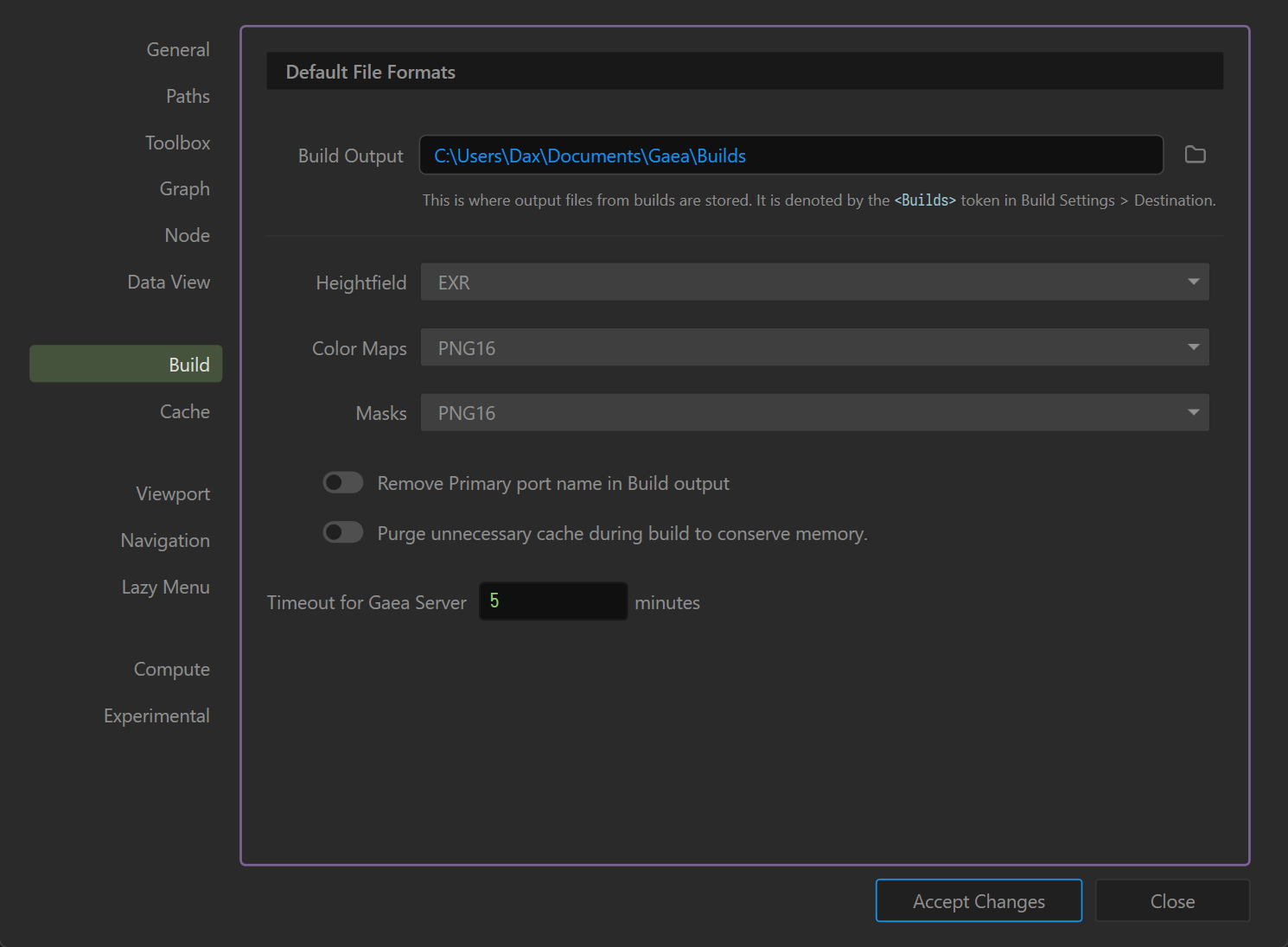
Build Output
- Path: Specifies the default folder where Gaea stores build outputs.
- The
<Builds>token in Build Settings > Destination refers to this location. - Click the folder icon to choose a new directory.
Default File Formats
Specifies the output format for each data type:
- Heightfield: Options include
EXR,RAW,TIFF, etc. (Default:EXRfor high-precision terrain data.) - Color Maps:
PNG16(16-bit PNG) or other supported color image formats. - Masks:
PNG16or other supported formats for mask outputs.
Remove Primary Port Name in Build Output
- Enabled: The build filenames exclude the primary port’s name, generating shorter, cleaner file names.
- Disabled: Output filenames include the primary port name for clarity.
Purge Unnecessary Cache During Build
- Enabled: Frees up unused cached data during a build to reduce memory usage.
- Disabled: Retains all cache for faster re-builds at the cost of higher RAM consumption.
Timeout for Gaea Server
- Sets the inactivity timeout (in minutes) for the background Gaea Server process before it shuts down automatically.
- Default: 5 minutes.
Notes
- Use a fast SSD for your Build Output folder to improve build times.
EXRis recommended for heightfields due to its high precision and compatibility with major 3D tools.- Enabling cache purge is helpful on low-memory systems but can slow down subsequent builds.
 using AngryMonkey