
Releasing a License
You can release a license so it can be installed on a different computer. To do so, go to Help > About. Then click "Release License" at the bottom of the dialog. This will de-authorize the installation and revert it back to the Community Edition.
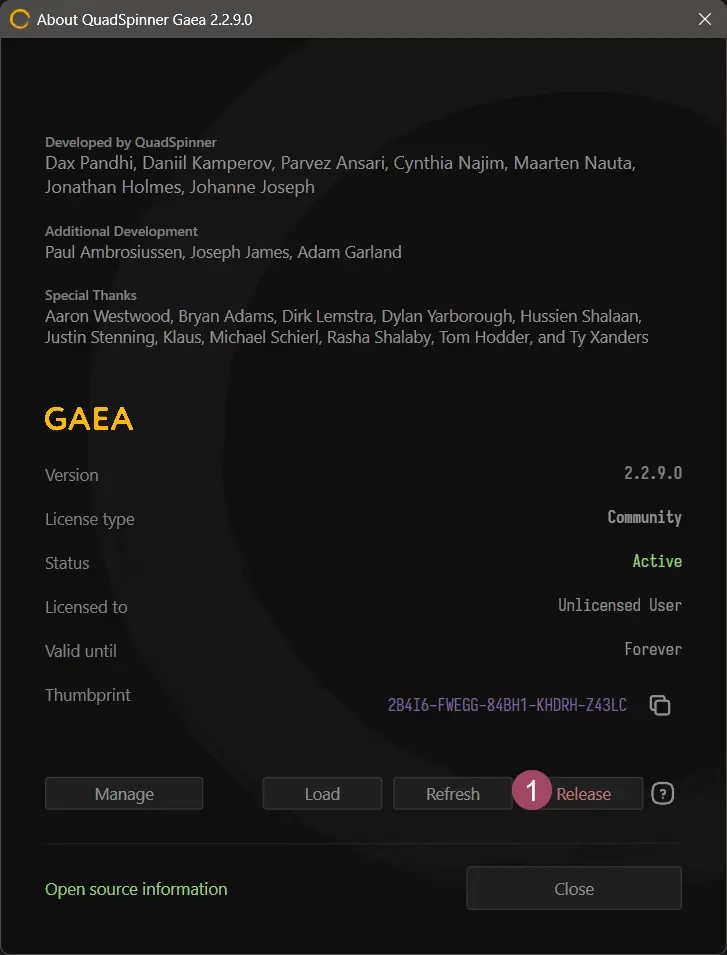
This is not a permanent deactivation. You can re-activate the same installation again if needed.
You are allowed a limited number of activations per year and our server will disable licenses that show excessive activation activity to protect your license. If such an event occurs, you can contact technical support to request re-activation of your license.
Command Line Option
To deactivate from the command line, use the following syntax:
Gaea.exe -deactivate
Releasing a License from Your Online Account
You can also release an activation remotely through your QuadSpinner Account. This is useful if you no longer have access to the original computer or need to free up a seat while away from that machine.
To release an activation online:
- Sign in to your QuadSpinner account.
- Open the License Dashboard.
- Find the relevant license and click Show.
- Click Activations.
- Locate the computer you want to remove.
- Click Release for that activation.
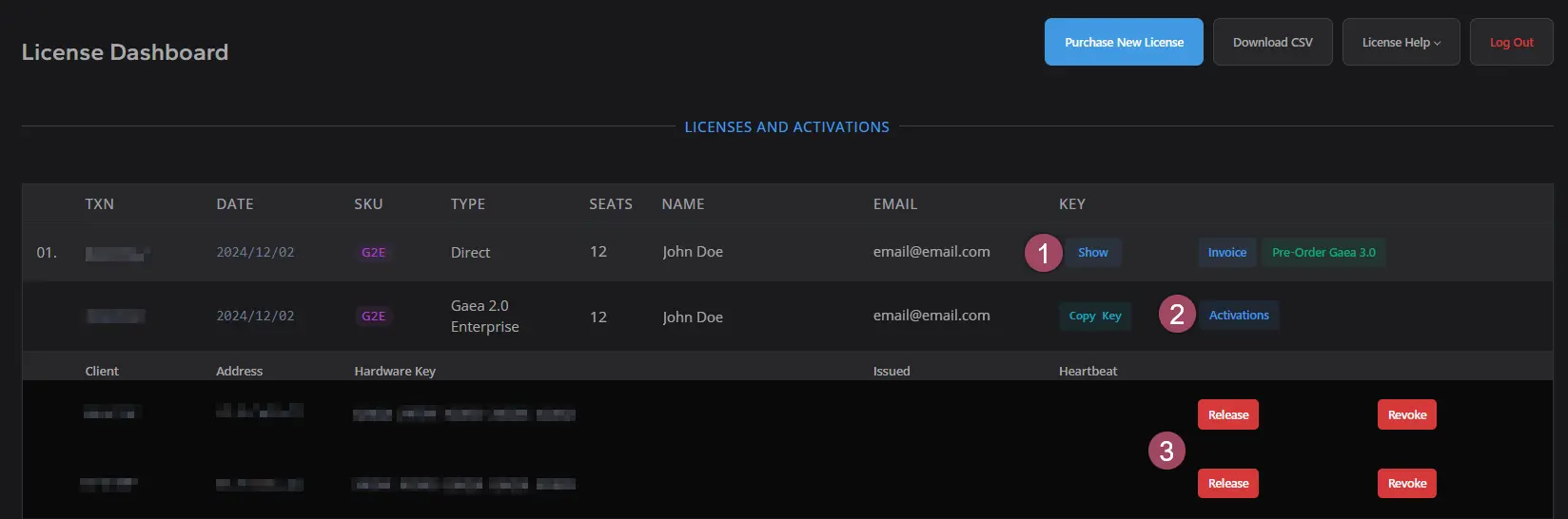
This allows you to remotely manage license activations without needing to open Gaea on the original PC.
 using AngryMonkey