Gaea Documentation

Gaea Documentation

Node Reference


CLUTer

Colorize › Color
Shortcode clt
CLUTer creates color gradients which can be mapped to texture masks to make color maps.

CLUTer lets you create color gradients which can be mapped to texture masks for creating color maps.

Coloration in Gaea is based on CLUTs, or color lookup tables. As 2D heightfields are essentially a grid of numbers ranging from 0.0 (lowest) to 1.0 (highest), CLUTs are represented as gradients which are mapped to those heights.

The lowest part of a gradient corresponds to the lowest part of the terrain. The highest part of a gradient corresponds to the highest part of the terrain. Everything in between is evenly distributed.

The CLUTer nodes let you take any grayscale input (such as Curvature, Slope, SurfTex, Flow) and map it onto a gradient.

Gradient Editor

Click anywhere in the gradient to create a new stop. Drag the stop to position it. Select the stop and press DEL to delete the stop.

CLUTer

You can use Input Clarity instead of interjecting an Autolevels node to the graph.

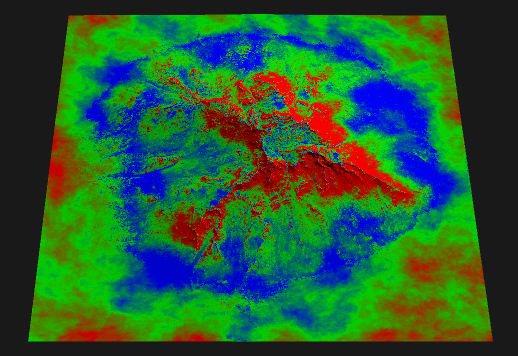
In this example, a Flow is mapped by CLUTer to create basic texture map.

CLUTer

Properties

CLUTer
Gradient Data
Autolevel Input
ReverseReverses the mapping of the gradient.
Bias
Hue
Saturation
Lightness

Created by QuadSpinner QuadSpinner using AngryMonkey
Copyright © 2016-2026 QuadSpinner. All rights reserved.
Documentation is provided under the MIT License.