
When to Use It
Use Dilate when the terrain shape is mostly working and you need a targeted reshape, filter, or remap pass.
Visual Direction
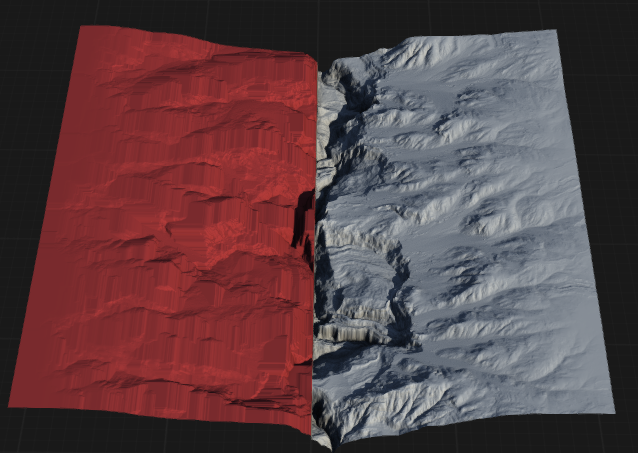
Properties
| Dilate | |
| Size | Sets the size of the dilation effect. Larger values expand features more, increasing the reach of the dilation. |
| Shape | Specifies the geometric shape used for the dilation operation, affecting how features are expanded. |
| Iterations | Controls how many times the dilation process is repeated. More iterations result in greater expansion of features. |
| Kernel | Selects the kernel type used for dilation, determining the pattern and direction of expansion. CrossUses a cross-shaped kernel, expanding features in horizontal and vertical directions. RectangleUses a rectangular kernel, expanding features uniformly in all directions. LineUses a line-shaped kernel, expanding features along a specified direction. Line VerticalUses a vertical line kernel, expanding features only in the vertical direction. |
| Invert | Inverts the input before applying dilation, causing the operation to expand background areas instead of foreground features. |
 using AngryMonkey