
Official Video
For a video breakdown of this node, see the official Distance video.
Example Files
Download the tutorial file from the Gaea community thread: Distance node tutorial file.
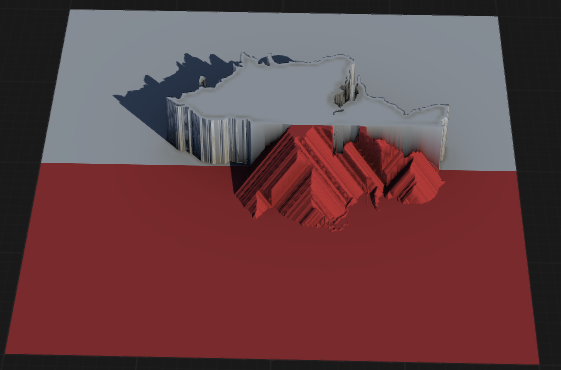
Distance is a simple Distance Transform node that allows you to create a sloping shape from a flat shape. It is similar to the Distance mode in Apex but far superior and efficient. It works very well in conjunction with nodes such as Mask, Island, Abs, and anything else that produces hard, flat shapes.
When to Use It
Use Distance when you need a distance field from a shape or mask boundary for falloffs, spacing, bands, or growth zones.
Visual Direction
Properties
| Distance | |
| Method | Specifies the algorithm used to calculate distance. Different methods may offer varying performance or accuracy. ClassicUses the standard distance calculation method, suitable for most general purposes. RTUses a real-time optimized distance calculation, providing faster results for interactive workflows. |
| Mode | Determines the pattern or structure of the distance calculation, affecting how distance propagates from the source. AsteriskCalculates distance in a star-shaped (asterisk) pattern, radiating out in multiple directions. PyramidCalculates distance in a pyramid or diamond pattern, emphasizing diagonal and orthogonal propagation. |
| Directions | Sets the number of directions in which distance is calculated, influencing the angular resolution and smoothness of the result. |
| Skew | Applies a skew or bias to the distance field, distorting the propagation direction for creative or technical effects. |
| Angle | Specifies the primary angle or orientation for directional distance calculations, allowing for anisotropic effects. |
| Angular Jitter | Introduces randomness to the angle of distance propagation, creating more organic and less uniform distance fields. |
| Falloff | Controls how quickly the distance value decreases with increasing distance from the source, shaping the gradient of the field. |
| Threshold | Sets a cutoff value for the distance field. Values beyond this threshold are clamped or ignored. |
| Falloff Jitter | Adds randomness to the falloff rate, producing irregular or natural-looking distance gradients. |
| OptionsInverts the input mask or field before calculating distance, reversing the source and background. | |
| Invert Input | Inverts the input mask or field before calculating distance, reversing the source and background. |
| Invert Output | Inverts the resulting distance field, swapping near and far values. |
| Multiply by Input | Multiplies the final distance field by the original input, masking or modulating the result. |
| Seed | Randomization seed for any stochastic elements in the distance calculation, ensuring reproducible or varied results. |
 using AngryMonkey