
The Shaper node can bulk up, or bulk down, a terrain. It is mainly used to add more "body" to a landscape before erosion so the terrain does not end up looking too thin afterward. In practice, it helps the pre-erosion landform keep more mass in the higher altitudes while still allowing erosion to shape it naturally.
Shaper also lets you work in local areas so the effect is applied non-uniformly to the terrain. Additionally, you can preserve fine details.
Shaper is a very useful tool that is fast and effective. You can use it through the Adjust node as well as the Modifier Stack. However, the Shaper node is the only way to use the advanced options.
When to Use It
Use Shaper when you want to bulk forms up or down quickly while preserving the main layout of the terrain.
Visual Direction
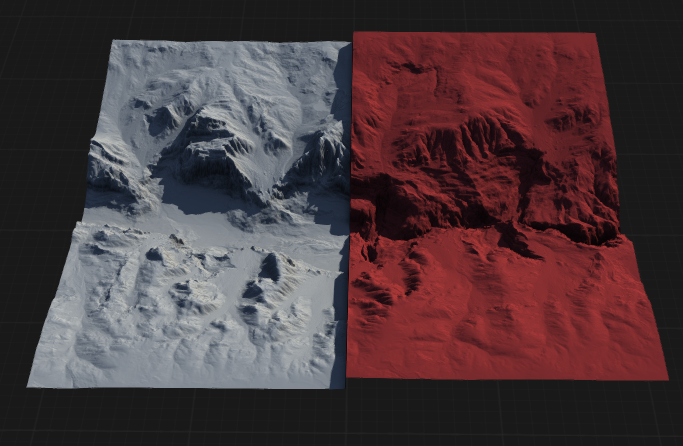
Properties
| Shaper | |
| Shape | Negative values will bulk down the shape, while positive values will bulk up the shape. |
| Local Effect | Limits the shaping effect to localized regions instead of applying it globally, allowing for targeted adjustments. |
| Local Area | Specifies the size or extent of the local region affected when 'Local Effect' is enabled. Larger values increase the area of influence. |
| Maintain Fine Details | When enabled, finer detail is preserved regardless of shape changes. |
| Detail Size | Controls the scale of details to be preserved or affected during shaping. Smaller values focus on finer details, while larger values affect broader features. |
 using AngryMonkey