
When to Use It
Use SlopeBlur when you want to directionally soften, smear, or break up an existing terrain using the slope information from a guide terrain or mask.
Visual Direction
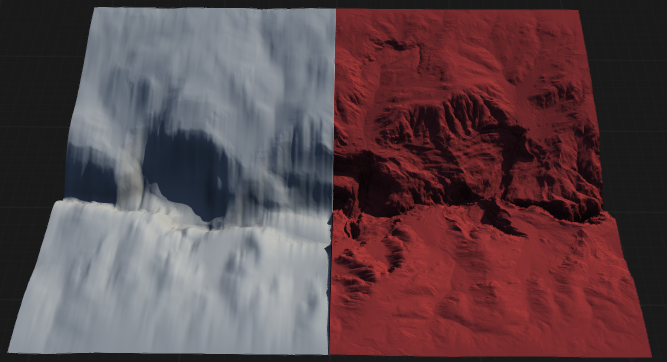
Properties
| SlopeBlur | |
| Intensity | Controls the strength of the slope blur effect. Higher values result in more pronounced blurring along the slope direction. |
| Iterations | Specifies how many times the slope blur operation is applied. More iterations increase the smoothness and diffusion of the blur. |
| Direction | Sets the primary direction in which the blur is applied. Adjusting this value changes the orientation of the blur effect across the terrain. |
| Asymmetry | Controls the asymmetry of the blur, allowing the effect to be stronger in one direction than the other for more natural or stylized results. |
| Normalized | Lorem ipsum |
| Window | Lorem ipsum
Bell |
| QualitySettings related to the quality and precision of the slope blur operation. Higher quality may increase processing time but results in smoother, more accurate blurring. | |
| Quality | Settings related to the quality and precision of the slope blur operation. Higher quality may increase processing time but results in smoother, more accurate blurring.
Low |
| Antialiasing | Applies antialiasing to the slope blur effect, reducing jagged edges and improving visual smoothness. OffNo antialiasing is applied. May result in sharper but potentially jagged edges. X 4Applies 4x antialiasing for moderate smoothing of edges. X 16Applies 16x antialiasing for maximum edge smoothing and highest visual quality. |
 using AngryMonkey