
Transform allows you to move, rotate, and scale any terrain. The Transform node can be implemented at any point in your graph as it is a post-process effect.
If your terrain has a hard edge, try using the Zero Borders node before applying the Transform node.
When to Use It
Use Transform when a terrain or mask needs straightforward translation, rotation, or scaling inside the graph.
Visual Direction
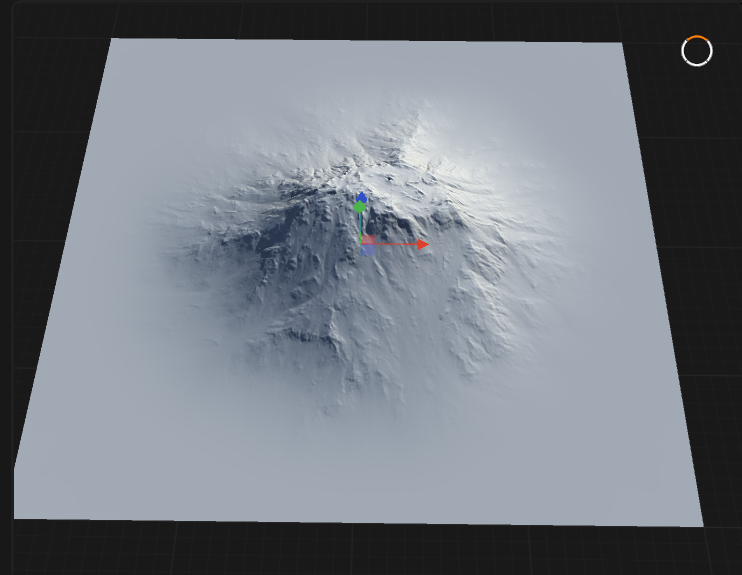
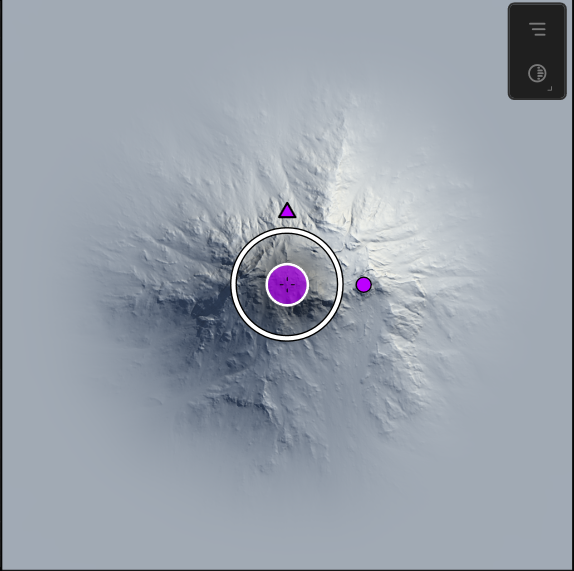
Properties
| PositionShifts the terrain or object horizontally along the X axis, allowing precise placement within the scene. | |
| Offset X | Shifts the terrain or object horizontally along the X axis, allowing precise placement within the scene. |
| Offset Y | Shifts the terrain or object horizontally along the Y axis, moving it forward or backward in the workspace. |
| Offset Z | Moves the terrain or object vertically along the Z axis, raising or lowering its elevation. |
| ScaleApplies uniform scaling to all axes, maintaining the original proportions of the terrain or object. | |
| Uniform | Applies uniform scaling to all axes, maintaining the original proportions of the terrain or object. |
| Scale | Applies uniform scaling to all axes, maintaining the original proportions of the terrain or object. |
| Scale X | The non-uniform scale on the X axis, allowing independent horizontal stretching or compression. |
| Scale Y | The non-uniform scale on the Y axis, allowing independent vertical stretching or compression. |
| RotationThe angle of rotation applied to the terrain or object, measured in degrees. | |
| Angle | The angle of rotation applied to the terrain or object, measured in degrees. |
| SettingsSpecifies how the transformed terrain or object is merged with the underlying data or input. | |
| Blend Mode | Specifies how the transformed terrain or object is merged with the underlying data or input. NoneNo blending is applied; the transformed data overwrites the input. BlendBlends the transformed data with the input using standard alpha or linear blending. AddAdds the transformed values to the input, increasing elevation or intensity. SubtractSubtracts the transformed values from the input, creating depressions or reductions. DifferenceEmphasizes the difference between the transformed data and the input. MultiplyMultiplies the transformed data with the input, modulating the result. ScreenUses a screen blend, lightening the result where both inputs are present. MaxTakes the maximum value between the transformed data and the input at each point. MinTakes the minimum value between the transformed data and the input at each point. |
| Edges | Specifies how the edges of the transformed terrain or object are handled. NoneNo special edge handling; edges may be abrupt or unblended. ThinApplies a thin edge blend, softening the transition at the boundaries. WideApplies a wide edge blend, creating a broader transition zone at the boundaries. SoftApplies a soft, gradual edge blend for smooth transitions. |
| Quality | Sets the processing quality for the transform operation. DraftFastest processing with lower quality, suitable for previews. MediumBalanced quality and performance for general use. HighHighest quality with the most detail, recommended for final output. |
 using AngryMonkey