
Official Video
For a video breakdown of this node, see the official Transpose video.
Example Files
Download the tutorial file from the Gaea community thread: Transpose node tutorial file.
When to Use It
Use Transpose when you need takes the character of the Reference terrain and applies to to the Input terrain.
Transpose
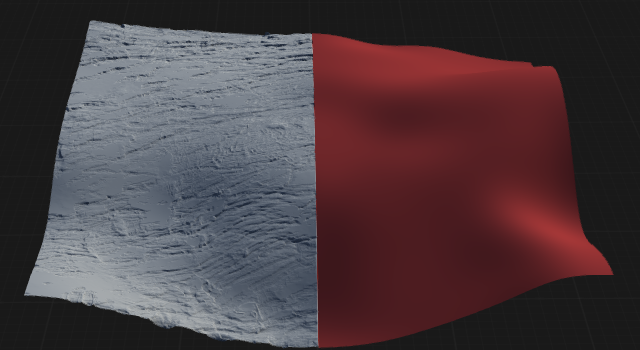
Transpose takes the character of the Reference terrain and applies to to the Input terrain. It maintains the original volume and shape of the Input terrain so you do not lose your silhouette, but still adds the details of the Reference terrain.
In practical scenarios, it is often difficult to create the kind of surface on a specific terrain. So you can create a basic terrain with low or no details, and then create flat (or undulating) surface separately, then Transpose the details onto your basic terrain.
This also works quite well with imported terrains or even meshes.
By combining Mask and Draw, you can paint your effect area.
Embed
Insert
Insert is a utility node that lets you insert a sparse heightfield into another heightfield while preserving the target heightfield's relative heights. A common example is creating rocks on a flat (clipped) surface and then inserting them onto a terrain. Unlike Max or Add combines, Insert preserves the inserted heightfield and does not add artifacts or shapes from the underlying heightfield.
Visual Direction
Properties
| Transpose | |
| Mode | Specifies the method used to transpose or rearrange the input data. Each mode determines how the transformation is applied. TransposeSwaps the X and Y axes of the input, effectively rotating the terrain or image by 90 degrees. EmbedInserts the transposed data into a larger canvas or area, preserving the original orientation within a new context. InsertPlaces the transposed data into a specific position within the output, allowing for targeted rearrangement. |
| Amount | Controls the degree or strength of the transposition effect, allowing for partial or full transformation. |
| Extend | Determines whether the output is extended to accommodate the transposed data, preventing cropping or loss of information. |
| Flatten | Flattens the result after transposition, removing any elevation or depth variations if enabled. |
| Threshold | Sets a cutoff value for the transposition effect, limiting the transformation to areas above or below the specified threshold. |
| Boundary | Defines how the edges or boundaries are handled during transposition, such as wrapping, clamping, or mirroring. |
 using AngryMonkey