
Official Video
For a video breakdown of this node, see the official Cellular3D video.
When to Use It
Use Cellular3D when you want a volumetric-looking cellular pattern for breakup, cavities, or dense procedural structure that feels less flat than standard 2D cells.
Visual Direction
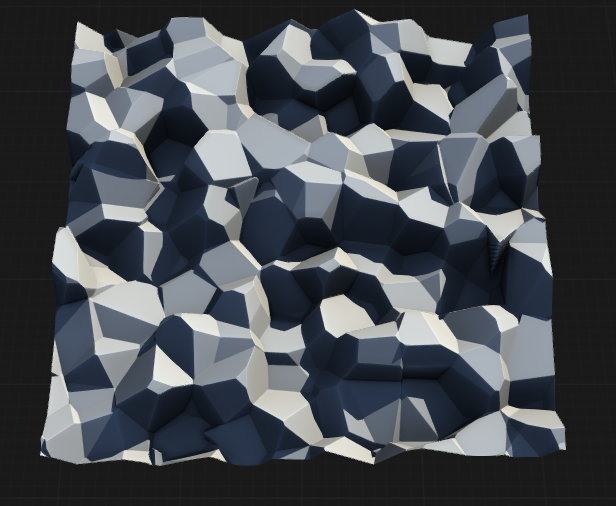
Properties
| Cellular3D | |
| Size | Controls the overall scale of the 3D cellular pattern. Higher values produce larger, more widely spaced cells. |
| Gap | Sets the distance or separation between individual cells, affecting the openness and density of the pattern. |
| Jitter X | Applies random offset to cell positions along the X axis, introducing irregularity and breaking uniformity. |
| Jitter Y | Applies random offset to cell positions along the Y axis, adding variation and natural randomness. |
| Jitter Z | Applies random offset to cell positions along the Z axis, further enhancing the organic appearance of the 3D pattern. |
| Scale X | Adjusts the scale of the cellular pattern along the X axis, stretching or compressing cells horizontally. |
| Scale Y | Adjusts the scale of the cellular pattern along the Y axis, stretching or compressing cells vertically. |
| Scale Z | Adjusts the scale of the cellular pattern along the Z axis, stretching or compressing cells in depth. |
| Seed | Randomization seed for generating unique variations of the 3D cellular pattern. Changing the seed produces different cell arrangements. |
| Normalize Input | If enabled, normalizes the input values to a standard range before applying the cellular pattern, ensuring consistent results regardless of input scale. |
 using AngryMonkey