
When to Use It
Use DotNoise when you need dotted or speckled noise patterns for texturing and breakup.
Visual Direction
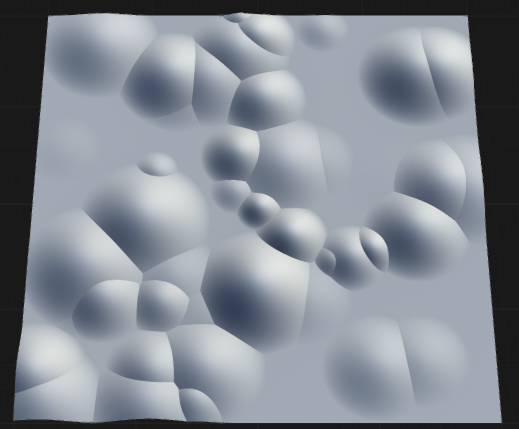
Properties
| DotNoise | |
| Style | Specifies the shape of the random elements placed on the surface. DotGenerates round blobs or spheres, creating soft, circular noise patterns. SquareGenerates square-shaped blobs, resulting in blocky, grid-like noise patterns. |
| Iterations | Sets the number of times dots or blobs are placed on the surface. Higher values increase the density and coverage of the noise. |
| Multiplier | Scales the intensity or strength of the dot noise effect, amplifying the contribution of each blob. |
| Size | Controls the average size of each dot, blob, or sphere. Larger values produce bigger features. |
| Height | Sets the maximum elevation or intensity of the dots or blobs above the base surface. |
| Blend Mode | Determines how the dot noise is combined with the underlying surface or input. NoneNo blending is applied; the dot noise is used as-is. BlendBlends the dot noise with the input using standard alpha or linear blending. AddAdds the dot noise values to the input, increasing elevation or intensity where dots are present. SubtractSubtracts the dot noise from the input, creating depressions or pits where dots are placed. DifferenceApplies a difference operation, emphasizing areas where the dot noise and input differ. MultiplyMultiplies the dot noise with the input, modulating the surface based on dot presence. ScreenUses a screen blend, lightening the surface where dots are present. MaxTakes the maximum value between the dot noise and the input at each point. MinTakes the minimum value between the dot noise and the input at each point. |
| Seed | Randomization seed for dot placement and variation. Changing the seed produces different dot patterns. |
 using AngryMonkey