
When to Use It
Use Thermal when you need simulates Thermal Erosion that can create talus and debris.
Using Thermal Erosion
Visual Direction
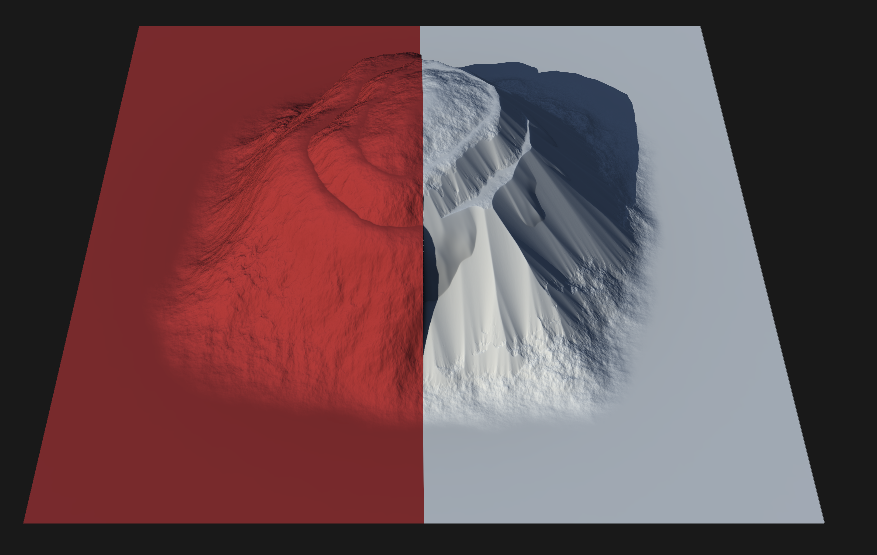
Properties
| ErosionControls how long the thermal erosion process is applied. Higher values result in more extensive terrain changes over time. | |
| Duration | Controls how long the thermal erosion process is applied. Higher values result in more extensive terrain changes over time. |
| Strength | Sets the intensity of thermal erosion. Increasing this value produces more pronounced smoothing and displacement, especially on steep slopes. |
| Anisotropy | Adjusts the directional bias of erosion and deposit formation. Low values preserve the original terrain, while high values intensify directional erosion, shaping talus deposits and terrain features. |
| Seed | Randomizes the erosion pattern while keeping other settings unchanged, allowing for varied results without retuning parameters. |
| TalusSets the maximum slope angle before material begins to move downward, forming talus. Lower angles create gentler slopes, while higher angles allow steeper terrain before shifting occurs. | |
| Angle | Sets the maximum slope angle before material begins to move downward, forming talus. Lower angles create gentler slopes, while higher angles allow steeper terrain before shifting occurs. |
| Settling | Controls how quickly and thoroughly loose material settles after being eroded. Higher values result in faster, more complete settling, while lower values allow for gradual accumulation. |
| Sediment Removal | Determines the amount of sediment removed during talus formation. Higher values produce cleaner, sharper features, while lower values allow more sediment to accumulate, creating smoother transitions. |
| ScaleSets the scale of the largest thermal erosion features in the terrain. Larger values create broader, more pronounced features; smaller values result in finer details. | |
| Feature Scale | Sets the scale of the largest thermal erosion features in the terrain. Larger values create broader, more pronounced features; smaller values result in finer details. |
| Real Scale | Uses the scale defined by the terrain's physical dimensions. Disable to access additional options and manually adjust erosion physics. |
| Terrain Scale | Specifies the overall scale of the terrain when Real Scale is turned off, allowing for manual adjustment of terrain size. |
| Verticality | Controls the height of the terrain when Real Scale is turned off, enabling further customization of vertical exaggeration. |
 using AngryMonkey