
The Resolution tab controls how much of the terrain is built and how the output is divided. Use it to select the build scope, target resolution, subdivision strategy, and whether the result is exported as a single image or as tiles.
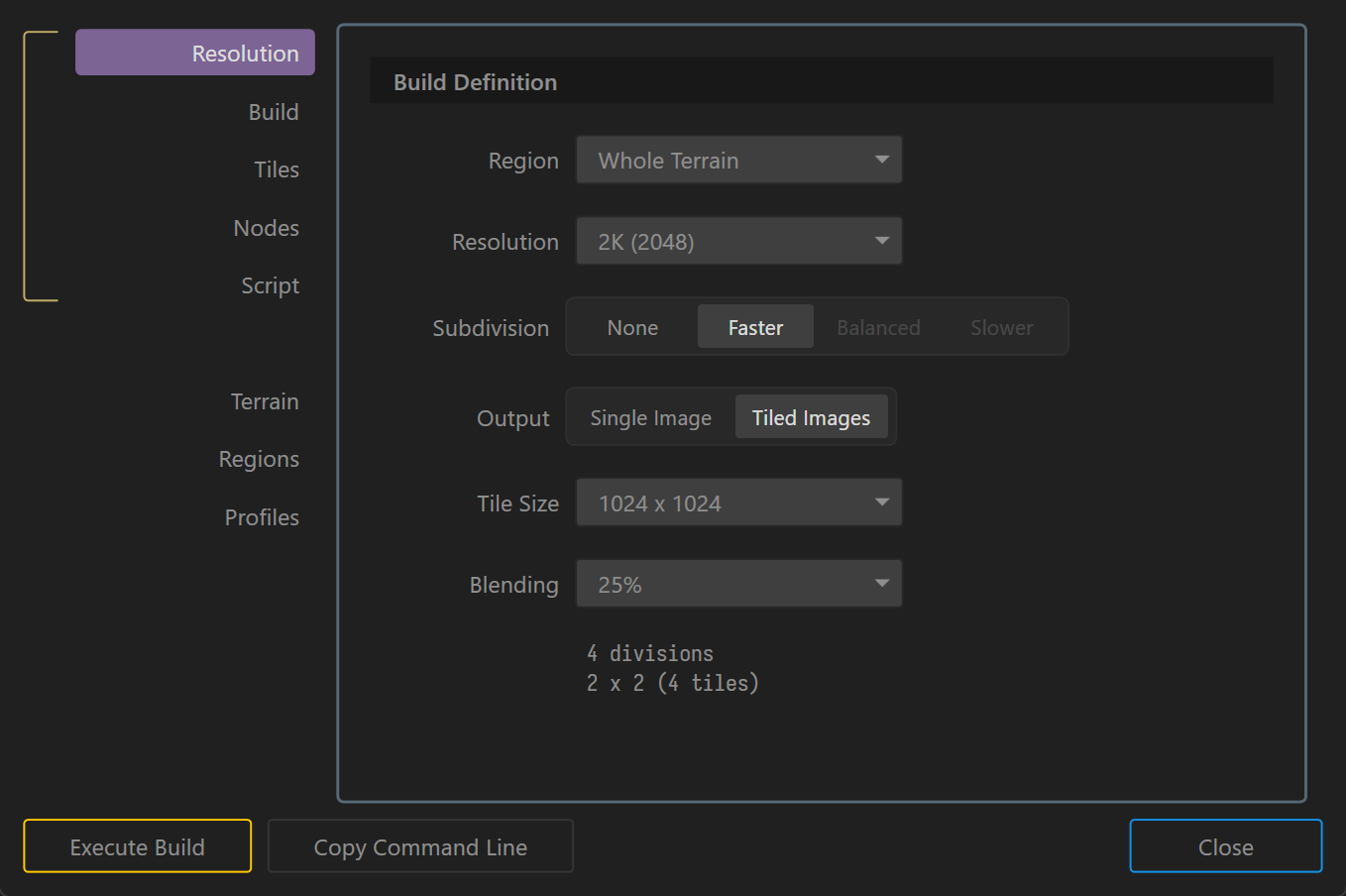
Resolution Settings
- Region: Select the build scope. You can build the whole terrain or choose a specific region from the dropdown.
- Resolution: Select the output resolution of the terrain, such as
2Kor4K. Higher resolutions provide more detail but require more memory. - Subdivision: Choose the build speed and quality balance.
- None: No subdivision. Best for faster builds when your world fits within the available resolution limits.
- Faster: Faster build speed with moderate quality.
- Balanced: A balance between speed and quality.
- Slower: Highest quality but slower build speed.
- Output: Choose the output format.
- Single Image: Exports as a single image file.
- Tiled Images: Divides the output into tiles.
- Tile Size: Set the size of each tile when tiled output is enabled, for example
1024 x 1024. - Blending: Determines the blending percentage between adjacent tiles for smoother transitions.
See Scale and Resolution for guidance on choosing terrain size and output detail.
 using AngryMonkey