
The Toolbox tab customizes the appearance, organization, and search behavior of the node toolbox, improving workflow efficiency and navigation within Gaea’s graph editor.
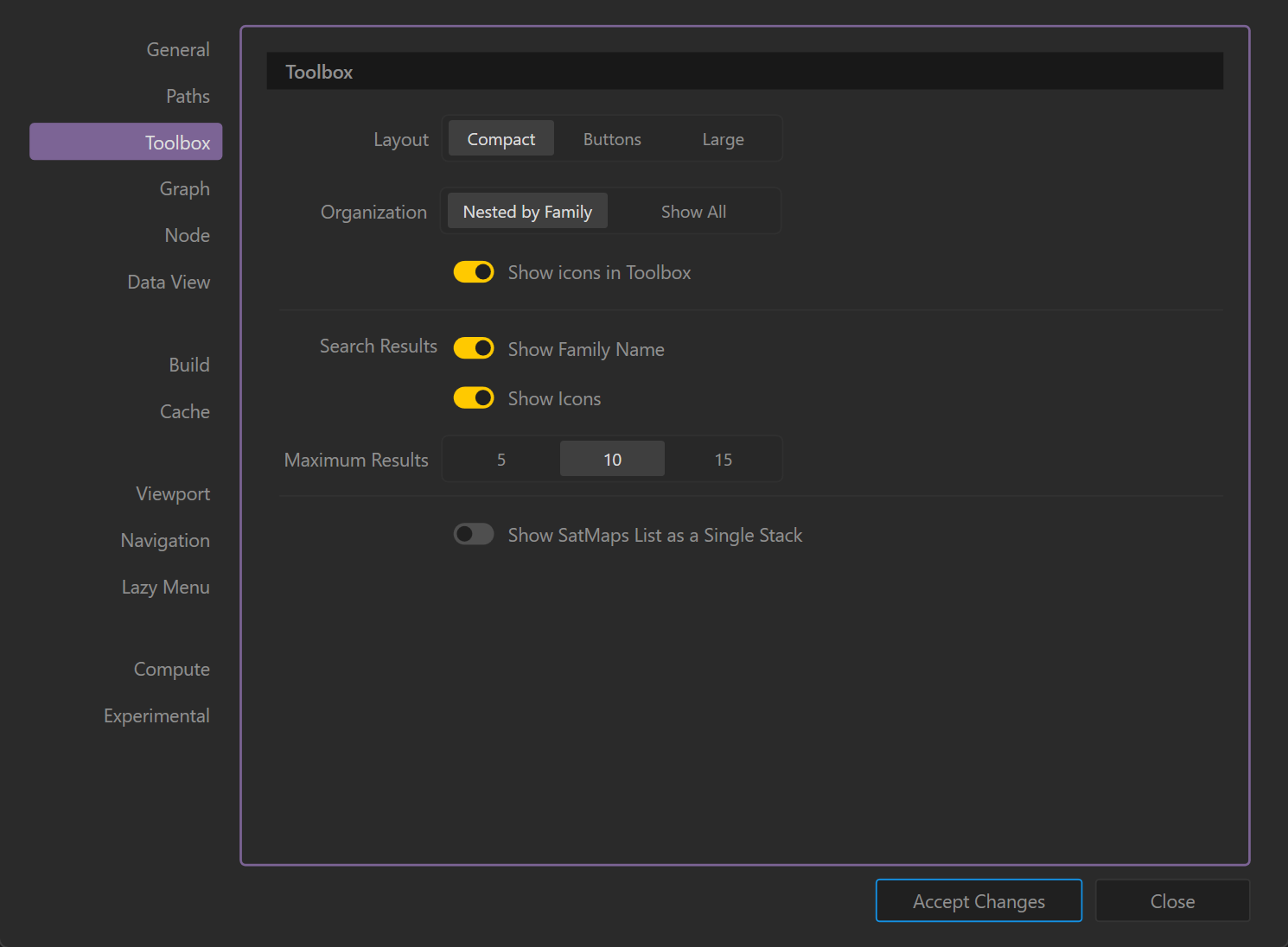
Layout
Defines the visual presentation of the toolbox:
- Compact: Displays nodes in a minimal, space-saving list format. (Default)
- Buttons: Shows nodes as clickable buttons with labels.
- Large: Displays larger entries for improved readability, useful on high-resolution or touch screens.
Organization
Determines how nodes are grouped:
- Nested by Family: Organizes nodes under their respective functional families (e.g., Primitives, Erosion).
- Show All: Displays all nodes in a single, flat list without categorization.
Icons in Toolbox
- Show icons in Toolbox: Toggles the visibility of node icons in the toolbox list for quick identification.
Search Results
Configures the appearance of search results:
- Show Family Name: Displays the node’s family (category) alongside its name in search results.
- Show Icons: Displays the node’s icon in search results for faster recognition.
Maximum Results
Limits the number of search results displayed:
- 5 / 10 / 15: Sets how many nodes appear in the search dropdown. (Default: 10)
SatMaps List Behavior
- Show SatMaps List as a Single Stack: Consolidates all SatMap entries into a single stacked entry, reducing clutter in the toolbox. When disabled, all SatMaps appear individually.
Notes
- A compact layout is ideal for users who prefer quick scanning of nodes.
- Enabling icons can improve recognition but may take more space in compact views.
- Nested organization is recommended for beginners to avoid overwhelming lists, while advanced users may prefer the flat view for speed.
 using AngryMonkey