
Synthesizing Colors
Gaea's Synth node can take static color information and turn it into an editable gradient or color ramp just like the CLUTer node.
The process is quite simple:
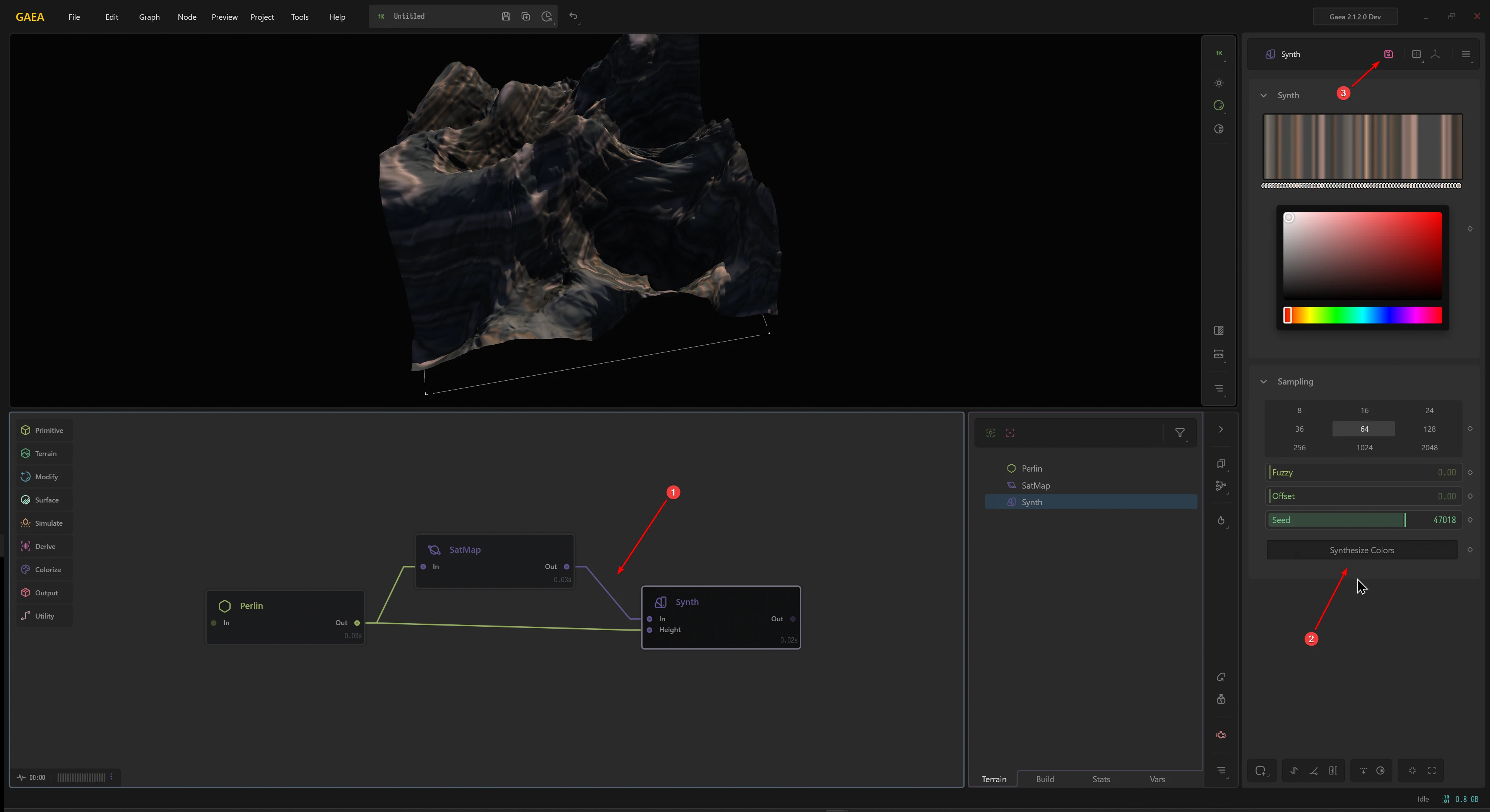
- Connect a static color map such as a SatMap or a File node with a color input to a Synth node.
- You will also need to provide a Height or Texture input, so you can apply the colors.
- Select the number of Samples (gradient stops) and other settings, and click
Synthesize Colors. - This will give you an editable gradient that you can edit.
- Optionally, you can also export the data as a JSON or CSV for use in external applications.
Re-synthesizing will overwrite any modifications you make manually to the Gradient Editor.
 using AngryMonkey