
It is crucial to be able to modify the Input and Output filenames for automating a workflow via Command Line Automation.
To do so, you need to bind the filename / path properties of Input and Output nodes to variables and modify the values through the Command Line or by@#using-files-for-variables.
Input
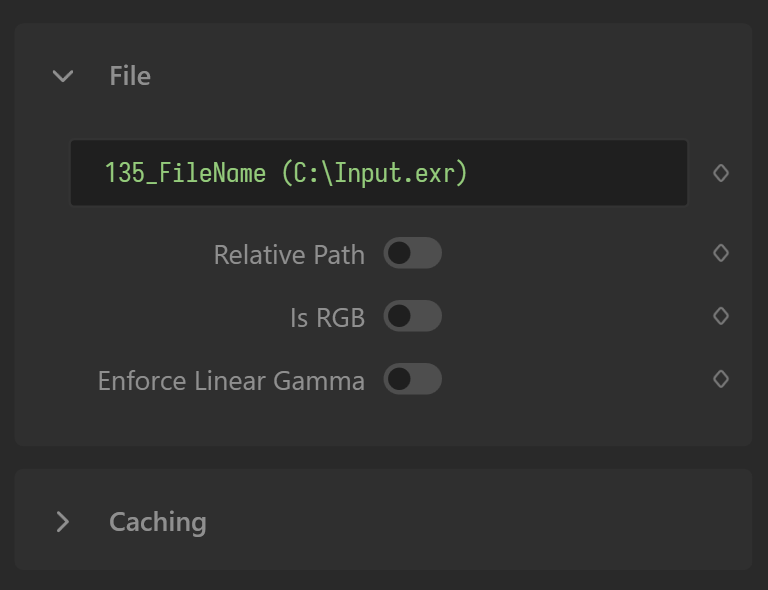
The Filename property of the File node can be bound to a variable. Ensure Relative Path is not checked unless you are passing a path relative to the Gaea.Swarm.exe file. You should also disable Caching (which is off by default).
Output
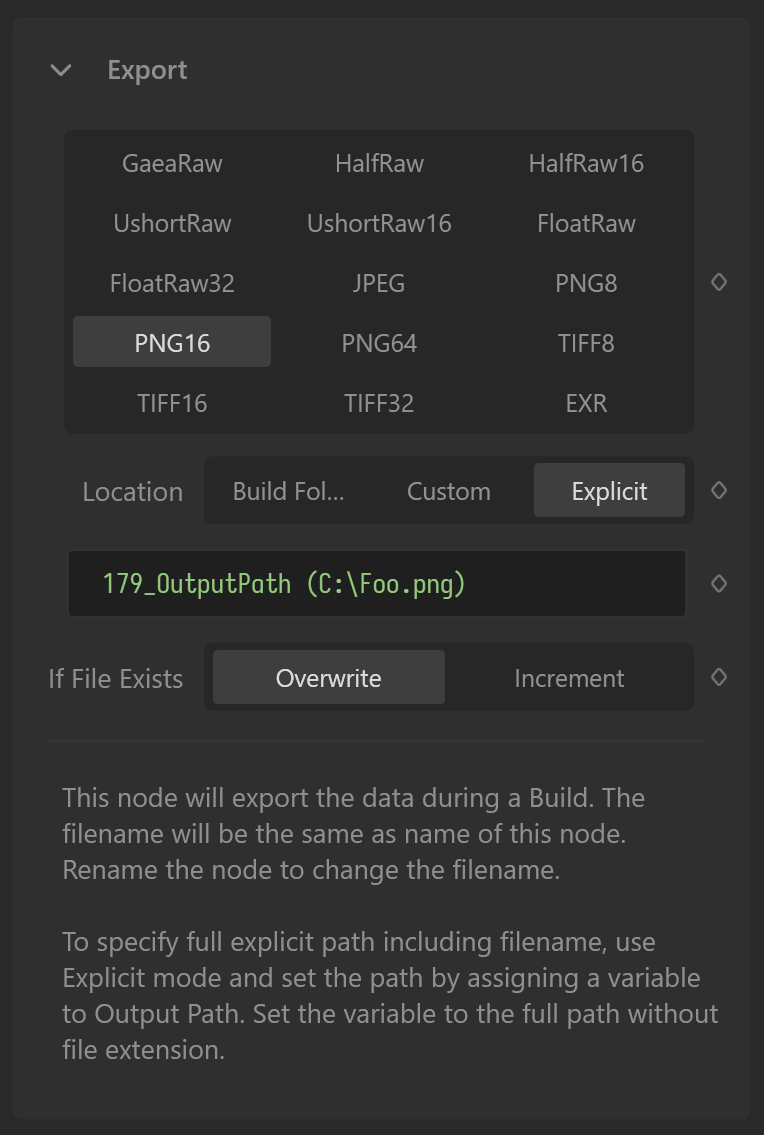
The OutputPath property of the Export node can be bound to a variable. However, the Location property is key to where the node will export your file.
- Build Folder: The Export node will save the file to the build folder specified in the Build Destination options. The filename will be the name of the Export node. So if the Export node is renamed to
SouthErosionand the format is set to PNG16 then it will be saved asSouthErosion.png. - Custom: The Export node will save to the folder specified in the
OutputPathproperty, but the filename will follow the same naming as above. - Explicit: The Export node expects the
OutputPathproperty/variable to provide a fully qualified path, NOT including the extension. The extension will be decided by the option selected in the Format Options grid in the node.
 using AngryMonkey