
The Build tab controls the destination and file-handling rules for the current build. Use it to decide where outputs are written, whether supporting files are copied, and how Gaea handles name collisions.
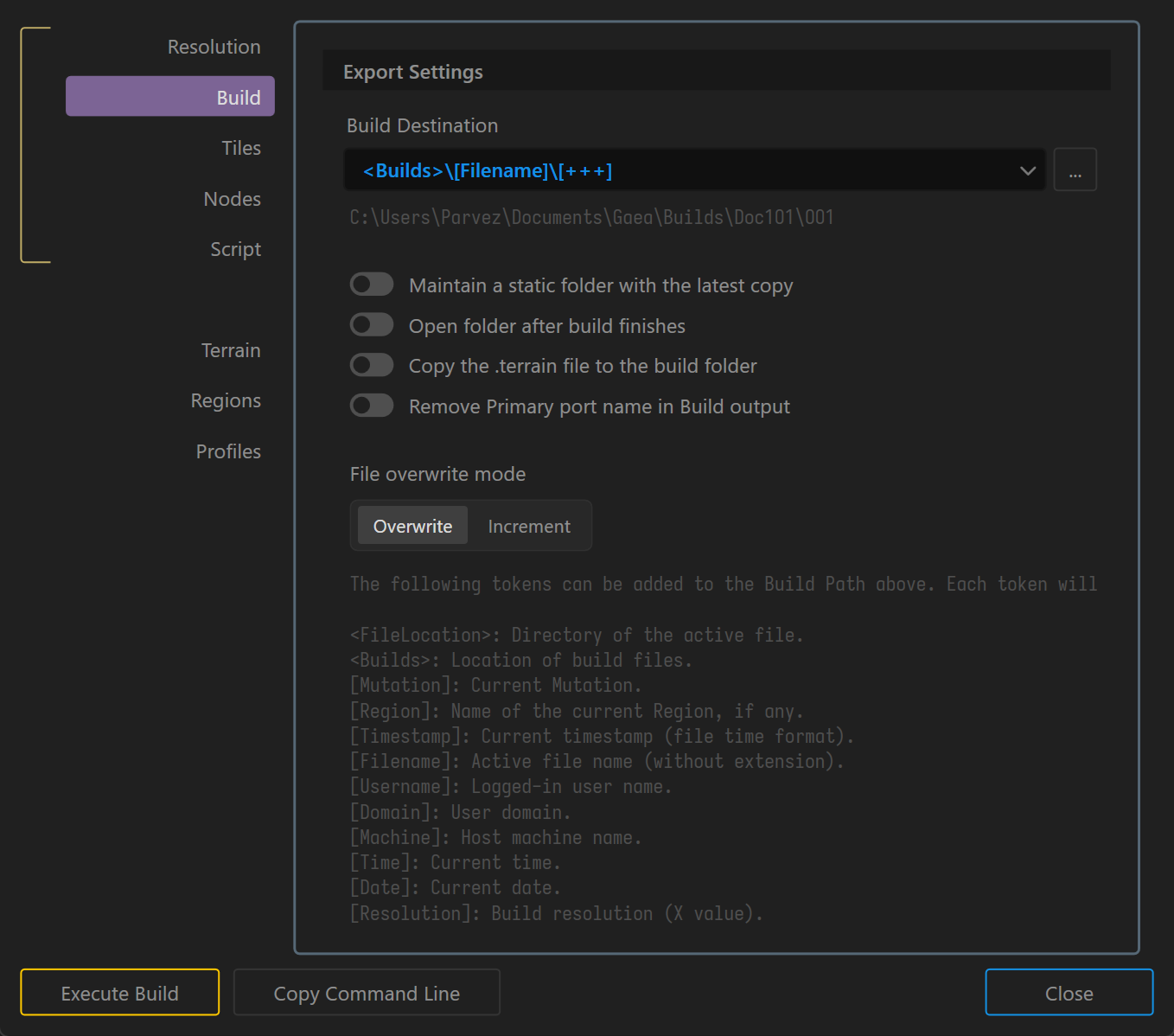
Build Destination and File Handling
- Build Destination: Specify the output folder for build files.
- Maintain a static folder with the latest copy: Keeps a copy of the latest build in a fixed location.
- Open folder after build finishes: Opens the output folder automatically when the build completes.
- Copy the
.terrainfile to the build folder: Saves a copy of the project file in the build directory. - Remove Primary port name in Build output: Removes the primary port name from output filenames.
- File Overwrite Mode: Choose how Gaea handles existing files.
- Overwrite: Replaces existing files with the same name.
- Increment: Appends an incremental number to the filename to prevent overwriting.
Build Path Tokens
Build destinations can include tokens that are replaced with project-specific values when the build runs.
See Build Tokens for the full token reference.
 using AngryMonkey