
The Nodes tab lists all nodes marked for export and lets you adjust their output settings before building.
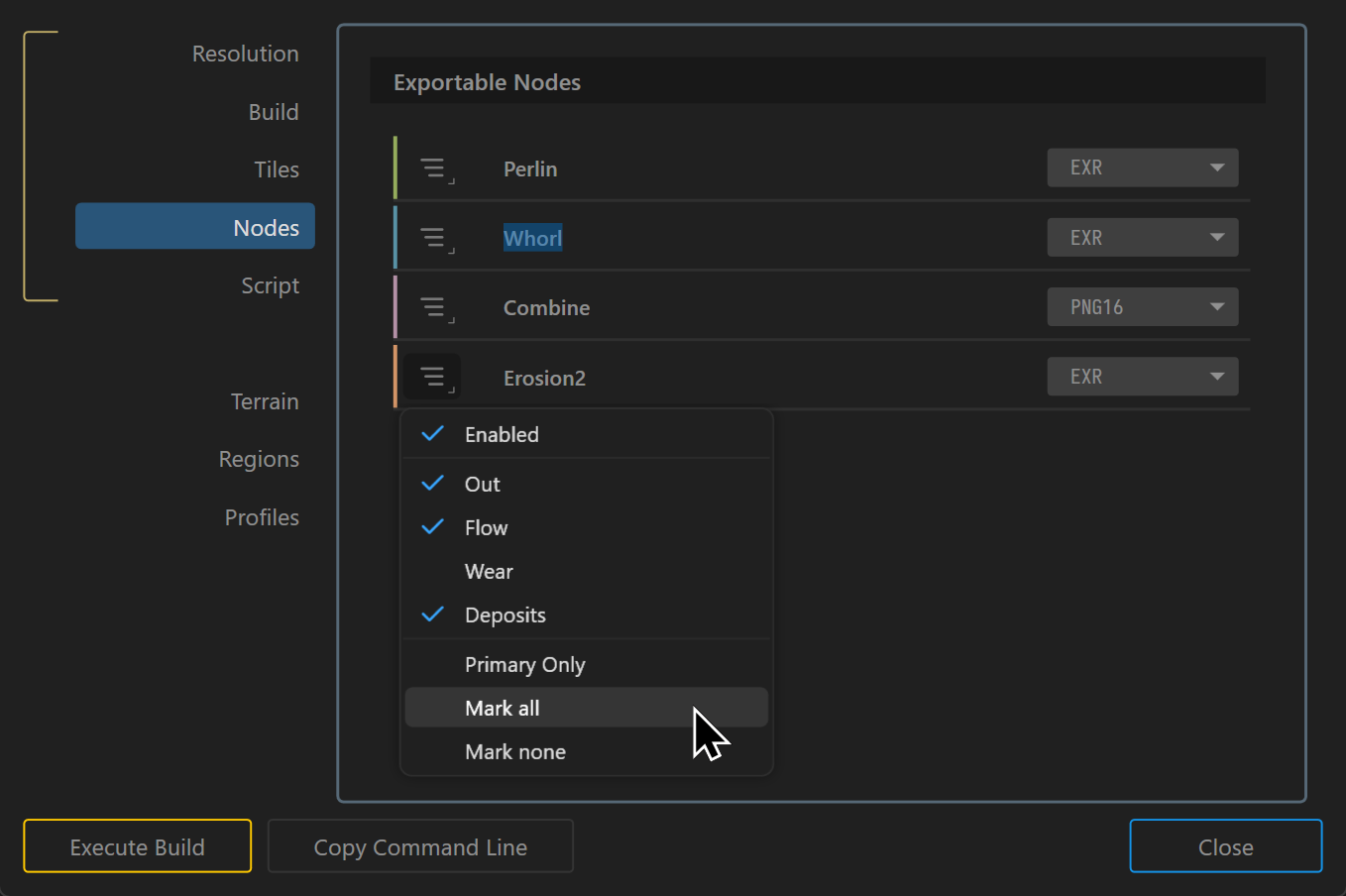
Node Export Settings
- Port Selection: From the export menu, you can choose specific ports, such as
Enabled,Out,Flow,Wear, orDeposits, to control exactly which data is exported. - Primary Only: Export only the primary or most important output of a node.
- Mark All/None: Quickly select or clear all available export options.
- Filename: The name specified here becomes the base filename used during export. Files are written in the format
<NameOrNodeName>_<PortName>.<extension>. - File Formats: Choose the format that best matches the requirements of the receiving application or workflow.
You can disable _Out suffix for the Primary Port in the Build section.
 using AngryMonkey