
Using Underlays
By default Gaea will use the nearest "Heightfield"/Terrain node to display the structure beneath the color or mask. However, if your graph splits or follows a secondary path to the color node, then it may use an incorrect node to display the terrain. To prevent this, all you have to do is go to the correct heightfield node, right-click and select "Use as Underlay".
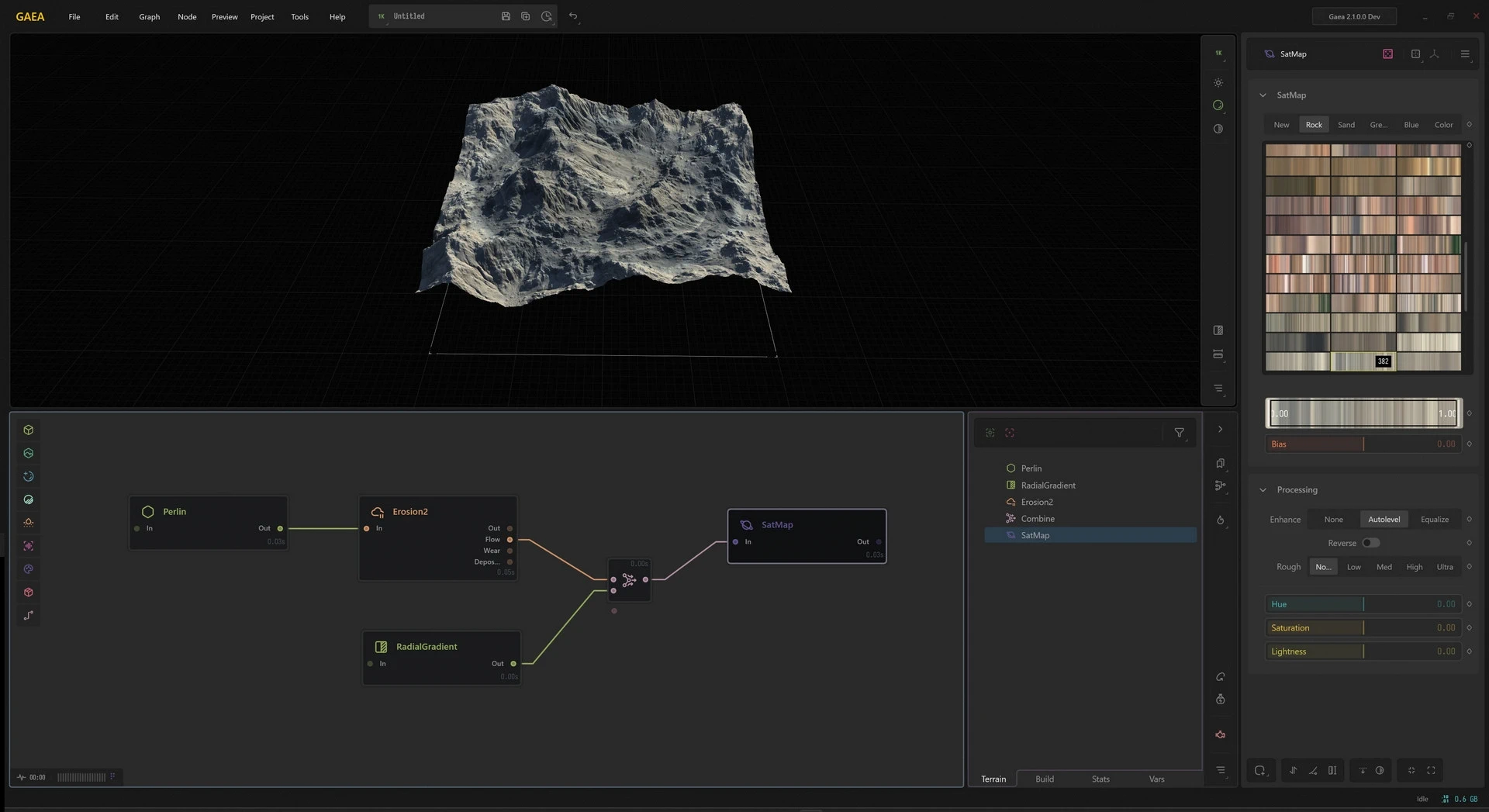
To use a node as the underlay, right-click the node and select Use as Underlay. You can also select the node and press G.
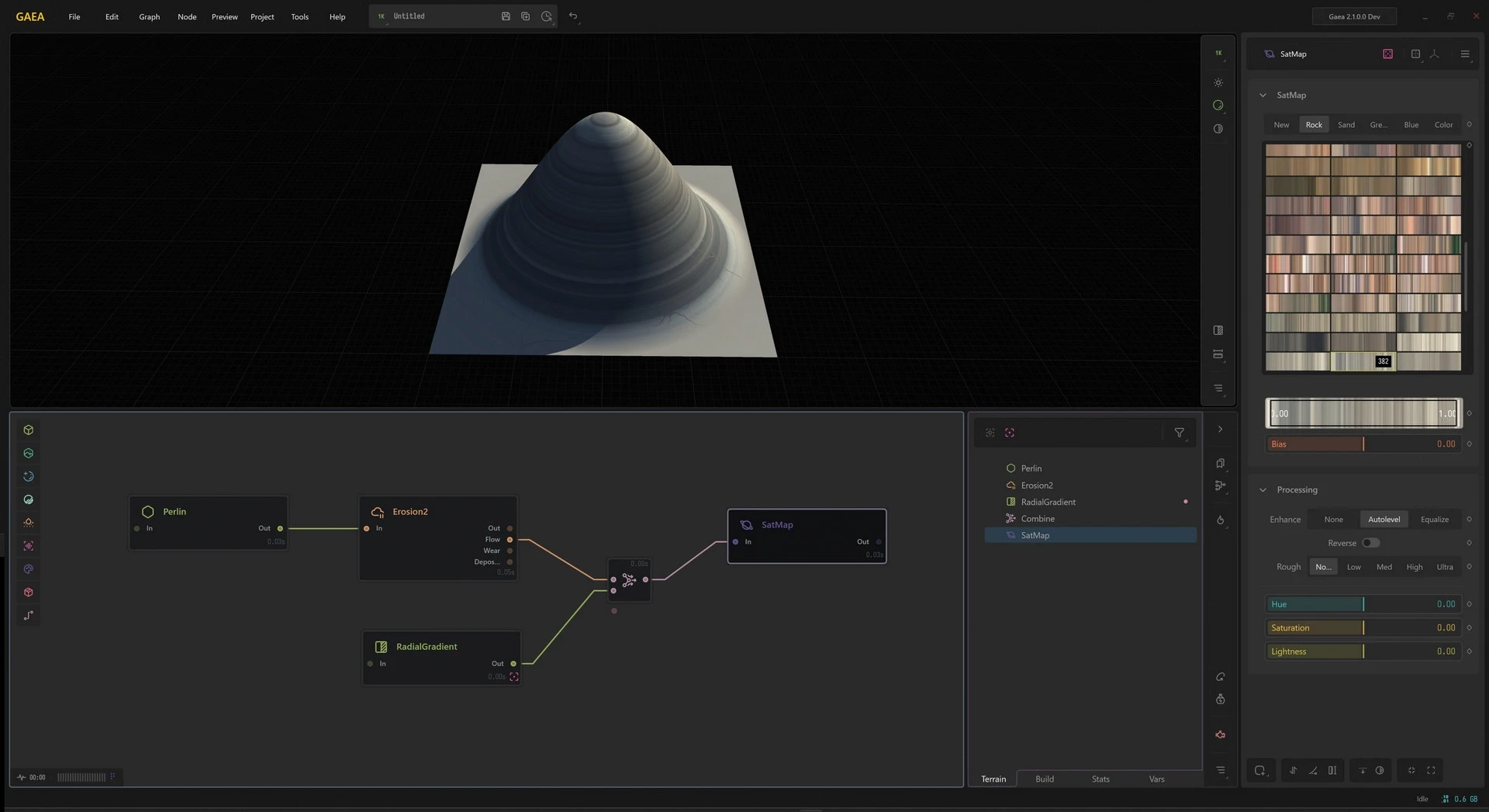
The Underlay node can be accessed from the toolbar in the Data Editor. It is shown as a purple link.
To see a flat preview, click V to temporarily toggle a flat preview in the viewport.
Ignoring Nodes for Underlays
When an Underlay is not explicitly specified, Gaea nodes such as ColorErosion will try to automatically pick up the appropriate ancestor node as an underlay. However, in some situations you may get an undesired underlay.
Let's take this example. We use a Shaper node to modify our input for the TextureBase node. The child nodes then use that Shaper as the underlay and not the Erosion node.
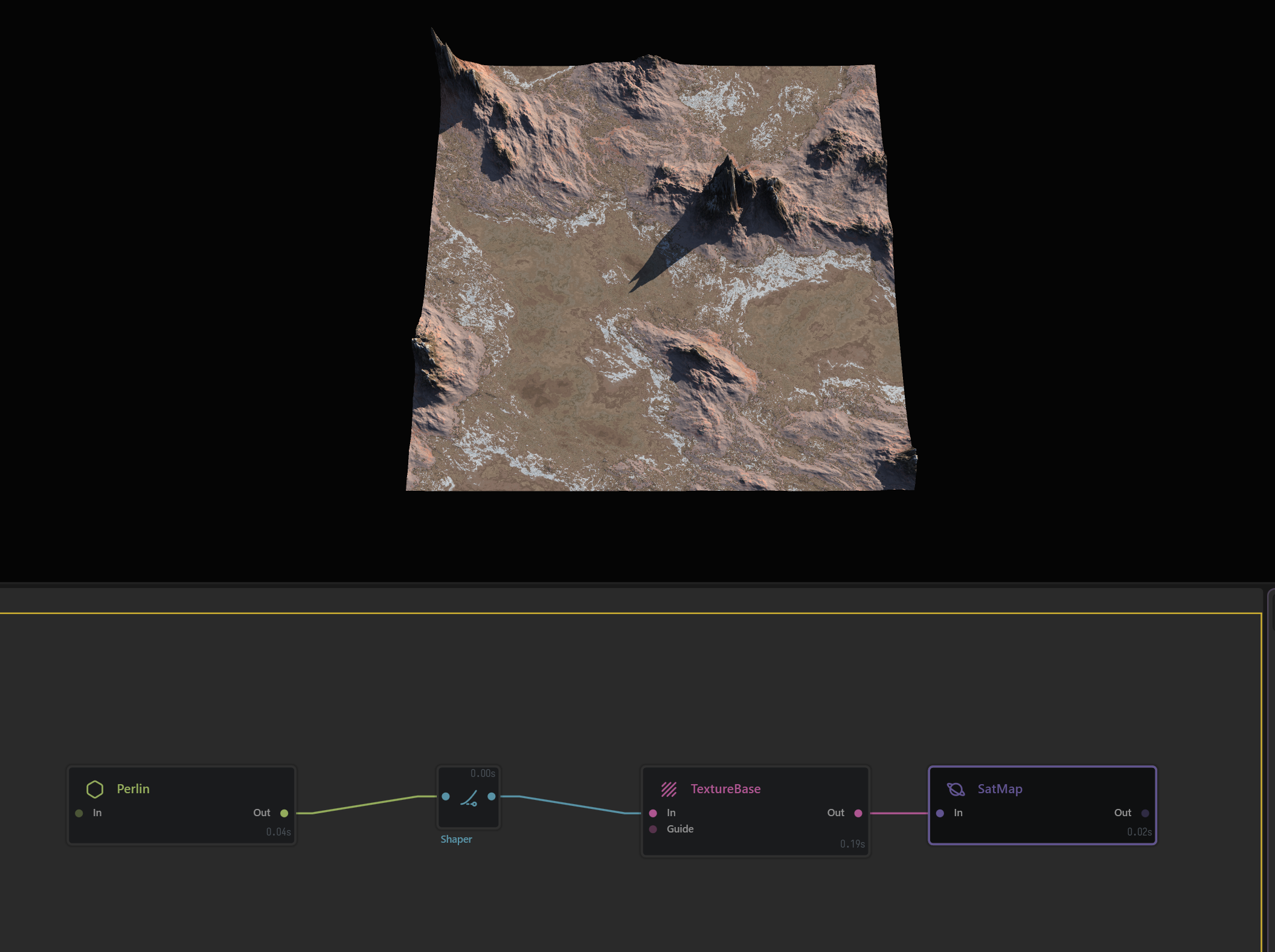
To prevent this, we right-click the Shaper node and set "Exclude from Underlay". Gaea will now ignore it and go to the parent node instead.
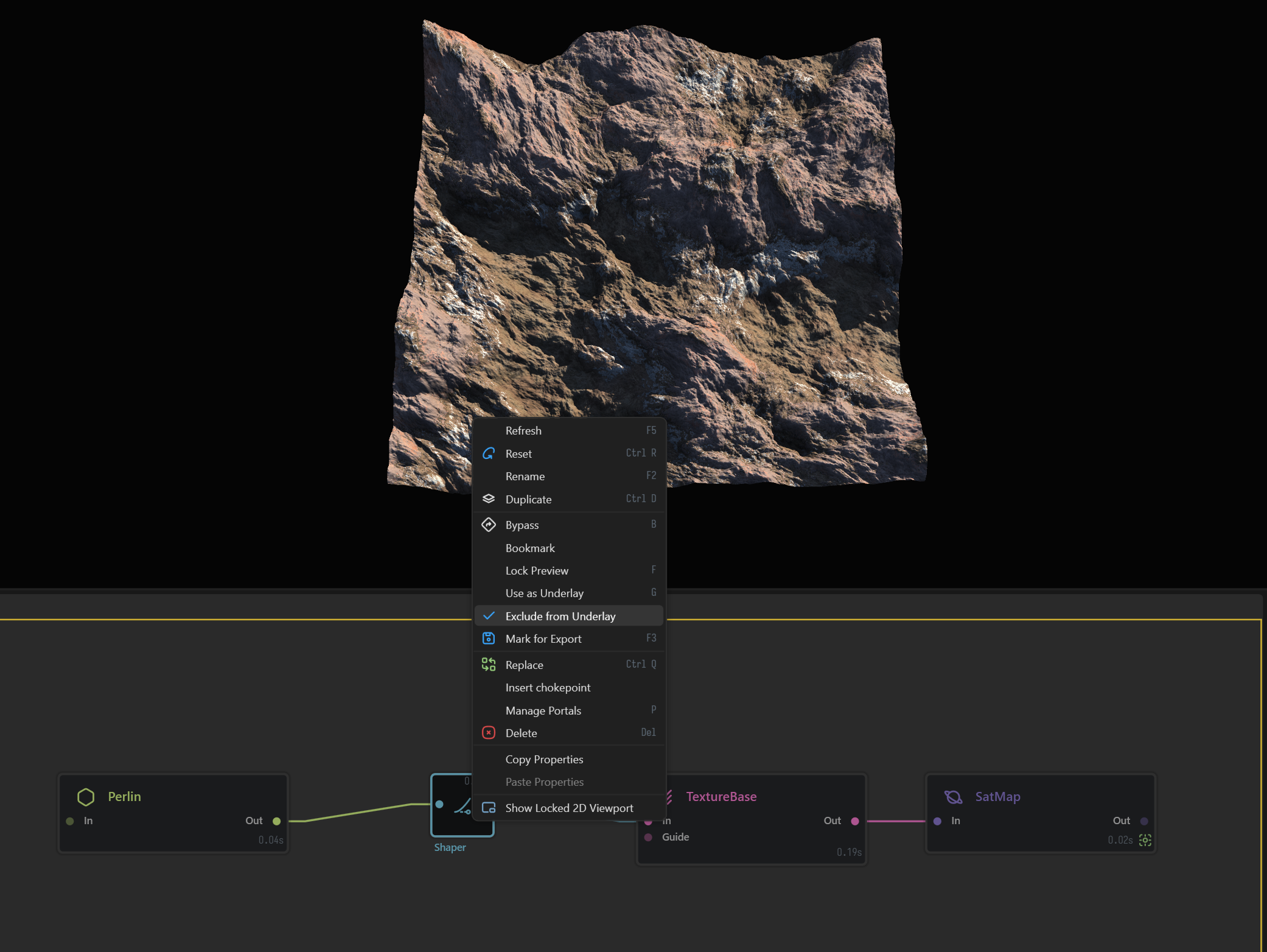
This is very useful when switching between different portions of a complex graph where local underlays may be different.
Beware of downstream underlays
Be mindful when you modify nodes that are before the Underlay. If they are part of the chain that leads up to the Underlay node, modifying them will cause all nodes in between to update as well, much like normal Lock Preview. This can make Gaea slow when working in 2K or higher preview resolution.
If Gaea detects such an Underlay, it will show a warning in the Property Editor.
 using AngryMonkey