
CPU Only Mode
In some cases, Gaea may have trouble using your GPU device. Often this is because it is an unsupported older device or may have outdated drivers.
To enable CPU only mode, start Gaea Diagnostics from the Start Menu. Select "Run Gaea with CPU only" and click "Start".
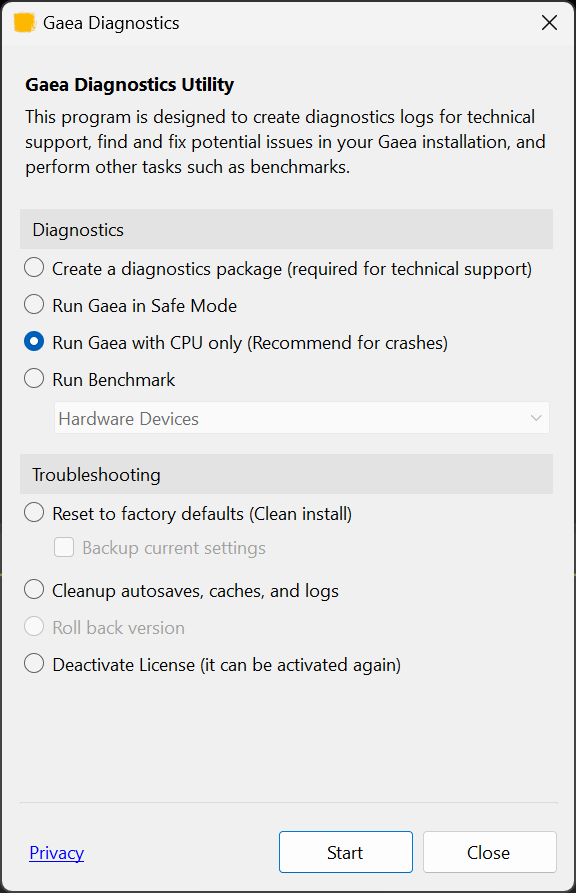
This will start Gaea in CPU only mode. It will now remain in CPU only mode, including when running the Gaea Build CLI.
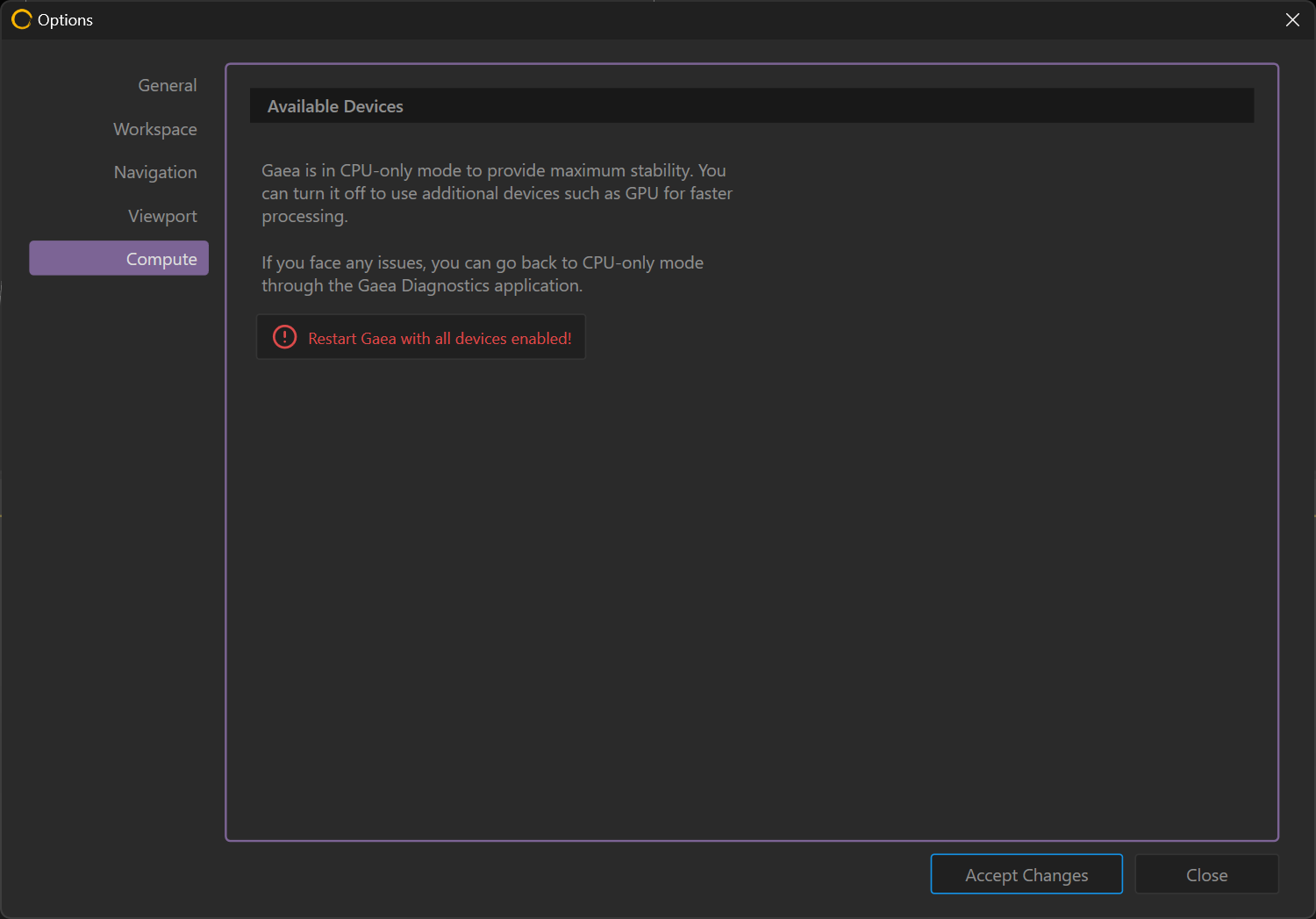
To re-enable multiple device usage, you can go to the Compute tab in Options.
 using AngryMonkey