
Download Gaea
Download Gaea from https://quadspinner.com/download/
You will also require .NET 8.0 and Visual C++ Runtime.
The Gaea installer will download and install those if needed. An internet connection will be required to do that.
Depending on your hardware, you may also need Intel® CPU Runtime for OpenCL Applications with SYCL Support
If you are going to install in an air-gapped/offline environment, then you may want to install the prerequisites beforehand.
You may also want to check System Requirements.
The Gaea Installers
Gaea is available in various forms to provide flexible methods of deployment, whether you are an individual or System Administrator.
Setup Executable
The setup exe is our primary - and recommended - way of installing Gaea. It provides for both Regular Installation and Portable Installation while also setting up additional registry entries required for the Gaea2Unreal and Gaea2Houdini bridges.
7-Zip Package
The 7-zip package contains the exact same files as the setup executable; however, it is purely portable and does not create registry entries. It is very useful for advanced users or for System Administrators to create custom deployments. See Mass Deployment on how to enable Gaea2Unreal and Gaea2Houdini functionality in pure portable installs such as this.
winget CLI Install
The winget CLI tool is fantastic way to quickly install and manage tools on your computer. You can install Gaea through winget by using the command line:
winget install gaea
Due to the slower time PR acceptance on the winget-pkgs repo, there may be newer versions available on the Gaea website. If you have Gaea installed, you will get an update notification in the application to help you stay up-to-date.
Security Concerns
Windows SmartScreen
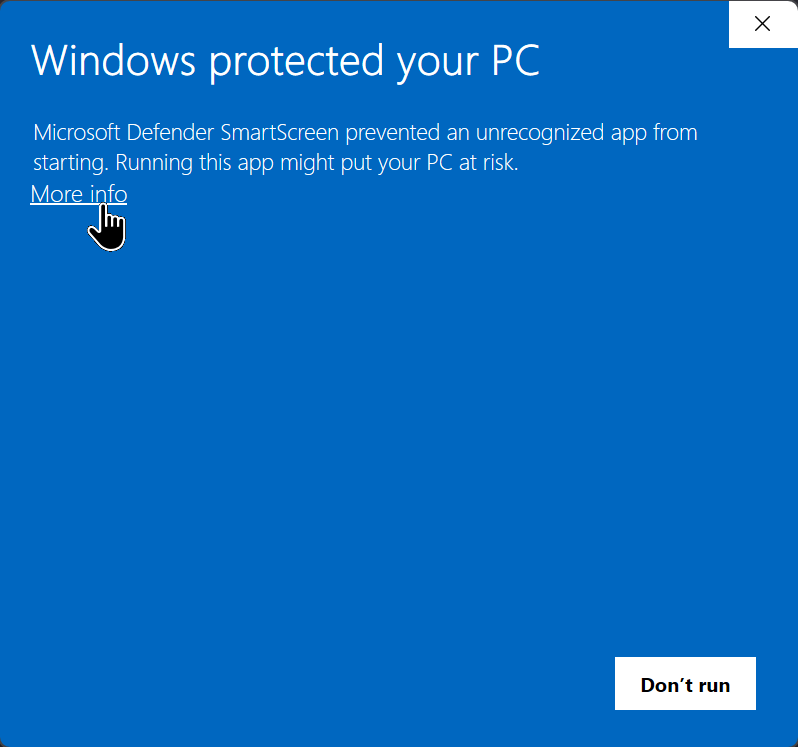
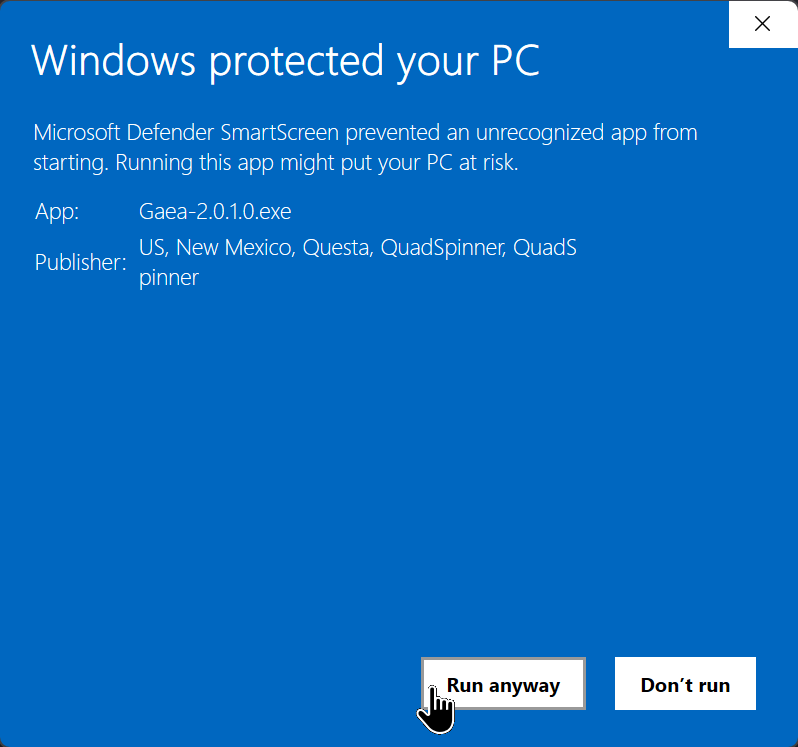
When you run the Gaea installer, Microsoft SmartScreen may warn you about running the application. You can check the validity of the installer by clicking "More Info". If the Publisher information shows QuadSpinner, that means it is signed by a Certificate Authority verified certificate.
Click "Run Anyway" to proceed with the installation.
You can also check the SHA-256 hash of the file against the hash shown on the download page for additional verification.
Our new installer makes it very easy to install Gaea, whether you are at home with full Administrator privileges or in a restricted environment at work.
To begin the installation select Regular or Portable Installation. In most cases, Regular Installation is the safest and recommended option.
Antivirus False Positives
Antivirus software, especially so called "AI-powered" antivirus software, may falsely flag the Gaea setup or one of Gaea's sibling processes as a virus or malware.
This is a false positive because Gaea does not perform any malignant activity. Interacting with hardware drivers or performing other low-level tasks creates false positives in some antivirus software.
We provide a VirusTotal report for our installer on the download page.
Signed Binaries
All Gaea binaries¹ are signed with a code-signing certificate provided after rigorous verification of our organization by a Certificate Authority. These signed files prevent tampering. You can open the file properties to see the certificate signature and ensure that each file has not been tampered with.
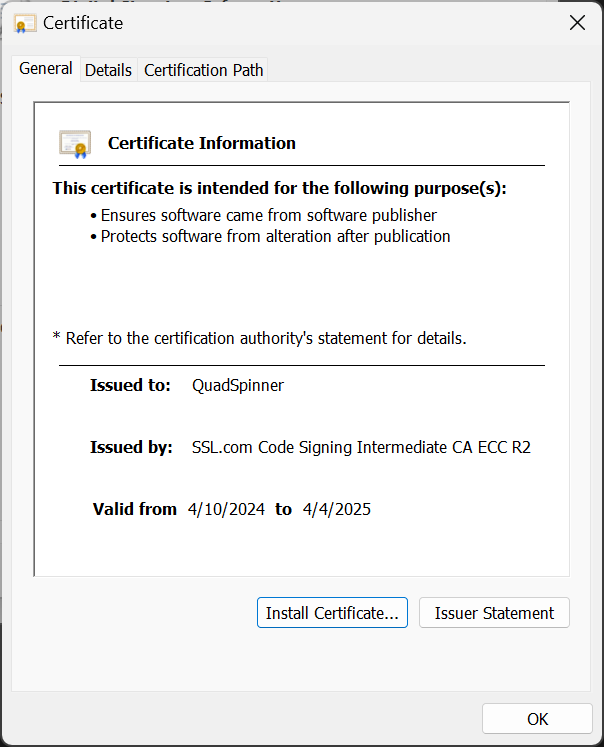
¹ Exe and DLL files legally within QuadSpinner's ownership.
 using AngryMonkey